TUROTURO — Construction Project Coordination Platform with AI-Powered Document Search
TURO is a cloud-based construction project coordination platform that bridges design and site execution. The system centralizes technical documentation — blueprints, DWG drawings, floor plans — manages document versions across project stages, enables cross-team coordination via interactive building maps, and powers document discovery through AI-backed semantic search using OpenAI vector embeddings.
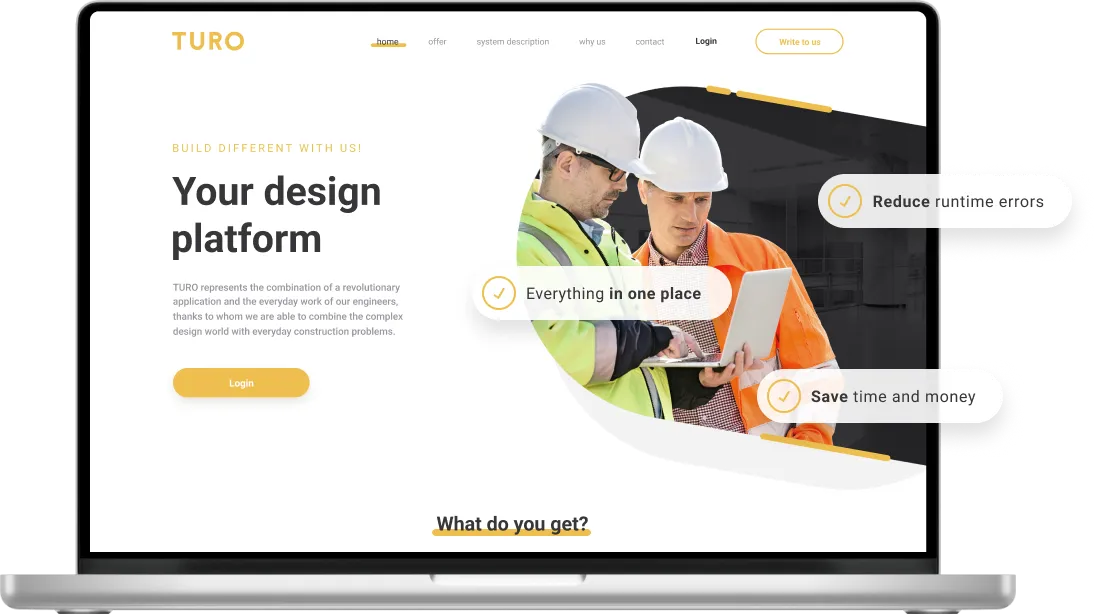
Scope of work
Web development
DWG to SVG converter
Node.js / NestJS
React JS / TypeScript
UX/UI Design
AWS Cloud
Why TURO Was Built
TURO was developed to solve a fundamental problem in construction management: the disconnect between technical documentation and on-site execution. In large-scale construction projects, teams work across dozens of floors, hundreds of rooms, and thousands of documents — drawings, finishing schemes, fire protection plans — that change with every revision. Finding the right document for the right location at the right stage was costing teams hours of wasted time.
Our team built TURO as an end-to-end platform that combines hierarchical site structure management (construction sites → storeys → interactive layers), automated DWG-to-SVG conversion via CloudConvert, intelligent document indexing with OpenAI embeddings, and real-time collaboration with threaded annotations — all accessible through an interactive floor plan interface.
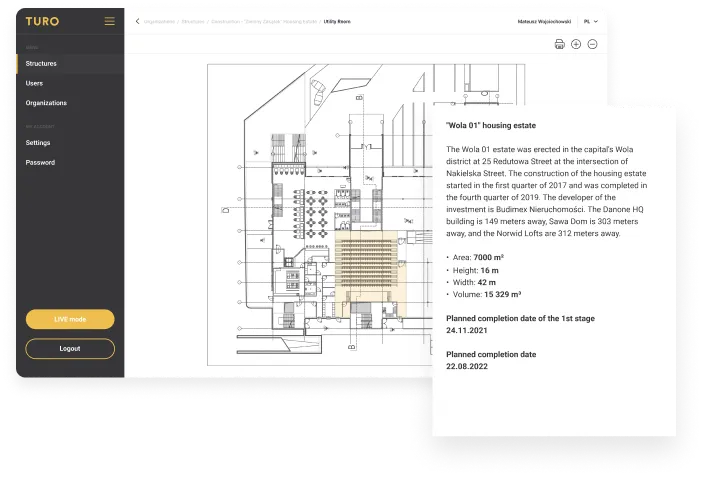
Engineering Interactive Building Maps with AI Search
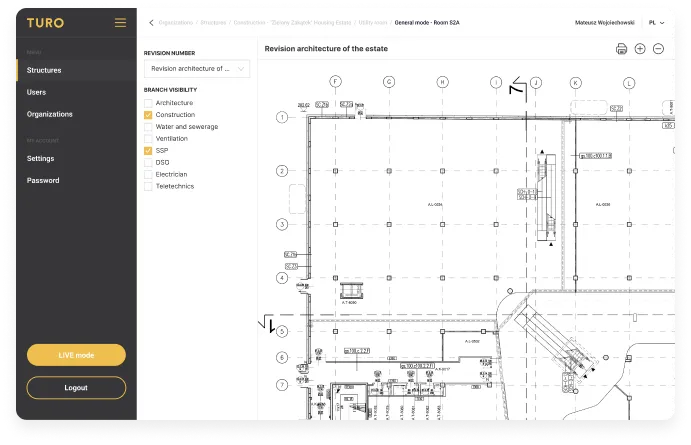
The primary challenge was building an interactive building map navigation system using SVG polygon-based floor plans. Users needed to click on any room, façade element, or system on a floor plan and instantly access all associated documents — current drawings, historical revisions, finishing schemes, and fire protection plans. The SVG rendering had to handle complex architectural drawings with hundreds of polygons while remaining responsive.
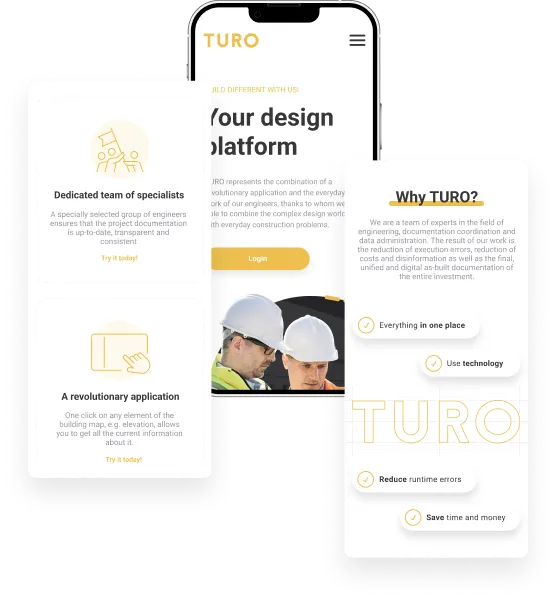
Expertises
Real Estate & Prop-tech
Location
Poland
From Folder-Based to Map-Based Document Navigation
The primary goal was to create a centralized construction documentation platform that eliminates the traditional folder-based approach to document management. Instead of searching through directory trees, users navigate an interactive building map — clicking on a room, floor, or system to instantly see all relevant documents, their current versions, and revision history.
We aimed to build a coordination mode that allows project managers to navigate the building by element type — façade, rooms, systems — providing a structured overview of documentation status across the entire project. This gives teams real-time visibility into which areas have up-to-date documentation and which need attention.
A key objective was implementing AI-powered document intelligence — not just search, but automatic metadata extraction and similarity matching. When a user uploads a new document, the system automatically indexes it with OpenAI embeddings, extracts relevant metadata (document type, building elements, materials), and can suggest related documents across the entire project. This transforms document discovery from manual browsing to intelligent retrieval.
The platform needed robust collaboration features — document annotations anchored to specific positions and pages, threaded replies, @mentions with email notifications, and role-based access control (User, Client Admin, Super Admin) across multiple organizations. Every comment and annotation had to be traceable to support the accountability requirements of construction projects.
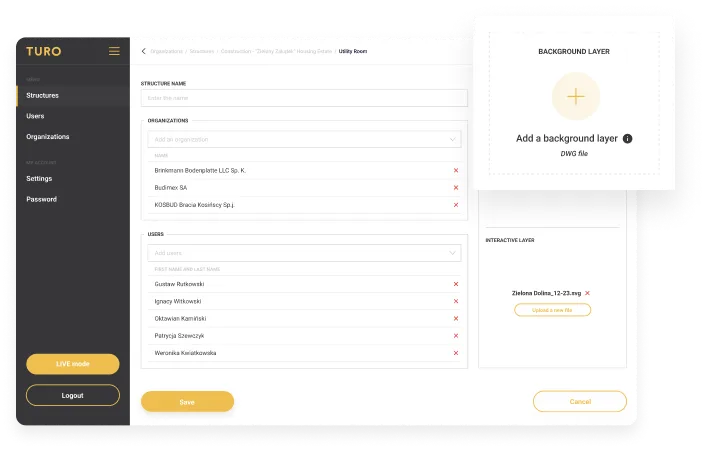
React, NestJS, OpenAI & AWS Architecture
The frontend was built with React 18 and TypeScript, using urql as the GraphQL client, styled-components for the UI layer, and Apryse/PDFTron for professional-grade PDF viewing and document comparison. The interactive floor plan system renders SVG polygons with click-to-navigate functionality, allowing users to explore building structures visually. Lexical and Draft.js power the rich text editing for annotations and comments.
The backend runs on NestJS 11 with Apollo GraphQL 4, providing a type-safe API layer. Data is persisted in PostgreSQL with ltree and citext extensions (for hierarchical structure queries and case-insensitive search), using MikroORM 6 as the ORM. Redis handles caching and session management. Pino provides structured logging across all services.
The document processing pipeline integrates multiple AWS services: S3 for document storage, CloudFront for CDN delivery with signed URLs, SES for notification emails (using Handlebars templates for password reset, account creation, email verification), SQS for background job queuing (AI indexing, file conversion), and Lambda for PDF compression. CloudConvert handles the DWG-to-SVG/PDF conversion workflow.
The AI search layer uses OpenAI vector stores with per-structure isolation. When documents are uploaded, an SQS-driven pipeline generates embeddings, extracts metadata (document type, elements, location, materials, systems, tags), and indexes everything for semantic search. Users can perform full-text search, AI-backed similarity search (find related documents), and browse documents through the intelligent floating search interface. The infrastructure is deployed via Terraform across three environments (dev, stage, production) with ECS, RDS, CloudFront, and Route53.
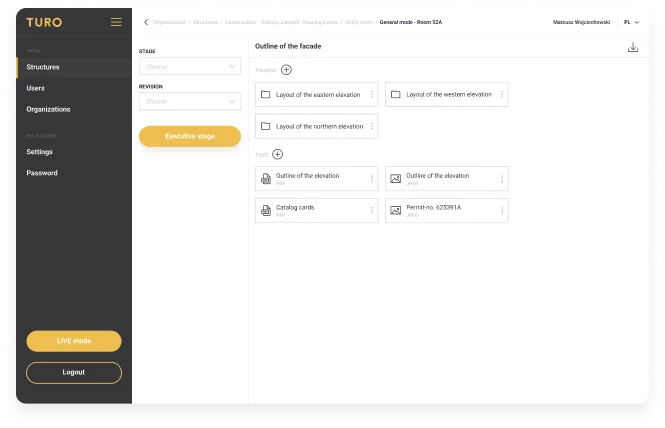
Transforming Construction Document Management
TURO transforms construction project coordination by replacing traditional folder-based document management with an interactive, AI-powered platform. Teams navigate building maps instead of directory trees, access current document versions with full revision history, and discover related documents through semantic search — all from a single unified interface.
The technical architecture — React 18 frontend with SVG floor plan rendering, NestJS/GraphQL backend, PostgreSQL with hierarchical extensions, and a comprehensive AWS infrastructure including Lambda, SQS, and CloudFront — delivers the performance and reliability required for construction-scale document management.
By integrating OpenAI embeddings for intelligent document indexing and search, CloudConvert for automated DWG conversion, and Apryse for professional PDF viewing, TURO provides construction teams with tools that were previously only available through enterprise-grade solutions — packaged in a modern, accessible platform that any project team can adopt immediately.
Start your AI agent project today
Request a call today and get free consultation about your custom software solution with our specialists. First working demo just in 7 days from the project kick‑off.
Matt Sadowski
CEO of Mobile Reality

Case studies
Explore our past successes and see our expertise in action with our real estate and proptech case studies. Discover how we've helped real estate businesses drive growth and success from mobile apps to data analysis.


Construction Management Software – Frequently Asked Questions
Construction management software is a cloud-based platform that centralizes project documentation, schedules, costs, RFIs, submittals, and field execution in one place. Modern systems go beyond folders: they tie every drawing, specification, and revision to a location on the building (a room, a floor, a system), keep a full version history, and expose role-based access for owners, GCs, subcontractors, and consultants. In 2026, the bar has moved — buyers expect AI-assisted document search, BIM/IFC integration, mobile-first field workflows, and audit-ready trails for compliance with standards like ISO 19650, not just file storage.
Folder trees force users to guess where a document lives — by discipline, by date, by revision number — and that guess gets harder as projects grow into thousands of files across dozens of floors and hundreds of rooms. Map-based or BIM-anchored navigation flips the model: you click on the room, façade element, or system in question and the platform shows the current drawing, its revision history, related finishing schemes, and fire-protection plans. The result is fewer wrong-version errors on site, faster document retrieval during coordination meetings, and a single source of truth that survives staff turnover.
AI-powered search uses vector embeddings (e.g., OpenAI or comparable models) to index every uploaded document along with extracted metadata: document type, building elements referenced, location, materials, systems, and tags. Instead of literal keyword matching, the system retrieves documents semantically similar to a query — useful when terminology varies between architects, MEP engineers, and contractors, or when filenames follow inconsistent conventions. A background pipeline (typically queue-driven, with retries and batch updates) keeps the index in sync as revisions land. Pair AI search with structured filters (stage, discipline, floor) so results stay precise on large projects.
Yes. DWG remains the lingua franca of 2D CAD on most active projects, even on sites where BIM is the design-side standard. A practical platform handles both: automated DWG-to-SVG conversion for interactive in-browser floor plans, DWG-to-PDF for offline review and approvals, and BIM/IFC viewers for 3D coordination. Conversion is typically delegated to a dedicated service (CloudConvert or equivalent) and post-processed (e.g., AWS Lambda for PDF compression) so large architectural files load quickly on tablets and phones in the field.
Construction documents move through stages — design, executive (for-construction), and as-built — and each stage carries multiple revisions. A serious platform tracks which revision is current, preserves all prior revisions, and offers side-by-side PDF comparison so reviewers can see exactly what changed between Rev B and Rev C. Equally important: a complete audit trail (who uploaded, who approved, when it became current) tied to the document and its anchor location on the building. This is what auditors, insurers, and dispute resolution actually look for.
Three things drive adoption in the field: (1) annotations anchored to a position and page on the drawing, not free-floating comments; (2) threaded replies with @mentions and email notifications so issues don't get lost between site visits; and (3) role-based access control across multiple organizations (User, Client Admin, Super Admin, with structure-level permissions). Every comment and markup should be traceable to a person and a timestamp — construction projects depend on accountability, and ad-hoc tools (email, WhatsApp, shared drives) cannot provide it under audit.
A typical 2026 stack: React + TypeScript on the frontend with a professional PDF viewer (Apryse/PDFTron) and SVG-based interactive floor plans; a NestJS + GraphQL backend; PostgreSQL with hierarchical extensions (ltree) and case-insensitive search (citext) for site → storey → layer structures; Redis for caching and sessions. The document pipeline lives on AWS: S3 for storage, CloudFront with signed URLs for CDN delivery, SES for transactional email, SQS for background indexing and conversion jobs, and Lambda for compute-bound steps like PDF compression. Infrastructure is provisioned via Terraform across dev / stage / production. AI features are layered on top via OpenAI vector stores isolated per project structure.
Timelines depend on scope, but a useful framing: a focused MVP covering core document management, interactive floor plans, and basic versioning typically lands in 4–6 months with a small senior team. Adding AI-powered semantic search, automated DWG conversion, multi-tenant access controls, and a full annotation/notification system generally extends the first production-ready release to 9–12 months. Beyond launch, expect ongoing investment in BIM/IFC depth, mobile field apps, and integrations with ERP/accounting systems — construction platforms grow with the workflows of the firms using them.